3D VISUALISATION · 7 MIN
2D floor plan or 3D model? What works in a listing
A 2D floor plan, a 3D floor plan, an interactive model and virtual staging each answer a different buyer question. We compare what each shows, where it works best and when to combine them.
Skyverse
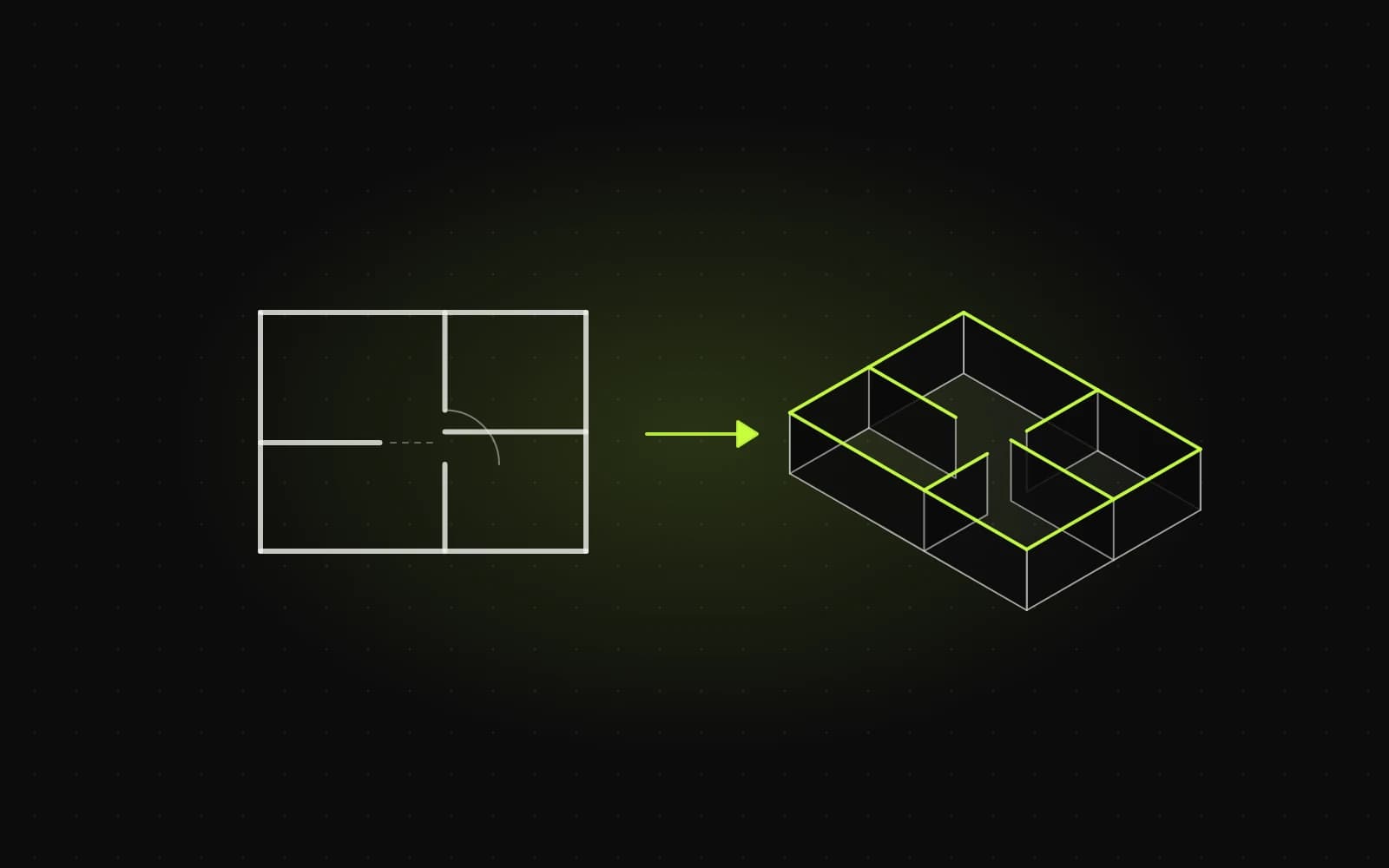
Someone buying an off-plan apartment usually has nothing to look at. The building is a shell or exists only in drawings, so whether they call the sales office depends on what they see in the listing and on the development website. A 2D floor plan, a 3D floor plan, an interactive model and virtual staging each answer a different question. Below we compare them one by one: what each communicates, where it works best and when it is worth combining several.
The 2D floor plan: the foundation of every offer
A classic floor plan with dimensions and room areas is the basic information about an apartment. Buyers use it to check whether the bedroom fits a double bed, where the windows are, whether the kitchen is open-plan and how the bathroom door relates to the living room. A listing without a floor plan looks incomplete, and a buyer who can't find one easily moves on to the next offer.
What a 2D plan does well:
- it gives hard numbers: the area of each room and the total floor area,
- it lets buyers compare several units in the same development side by side,
- it can be printed, emailed and attached to the paperwork.
What it doesn't do: show scale and proportion the way people experience them. Someone who doesn't read technical drawings every day often can't tell from a plan whether a 14 m² living room is generous or tight. A 2D plan convinces buyers who already know what they want. It can put off the undecided.
The plan has to be readable on a phone: large room labels, areas in a table next to the drawing, and the option to zoom in and download a PDF. A plan cut straight out of the construction drawings, with structural grid lines and services annotations, does more harm than good.
The 3D floor plan: the same layout, understood at a glance
A 3D floor plan (often an axonometric view, looking down at an angle) shows the same apartment without the ceiling, furnished and finished. The layout that needed imagination in 2D is obvious in 3D: where the table goes, how much room is left around the sofa, how light from the window reaches the kitchen.
A 3D floor plan works especially well as one of the first images in a property portal listing. It is just an image, so the portal accepts it like any photo, and as a thumbnail it stands out from the exterior renderings that look alike across many developments.
Two things to get right:
- match the technical plan. Furniture to scale, walls and windows exactly where the drawings put them. A 3D plan that looks nice but doesn't match the dimensions is a straightforward way to disappoint a buyer at handover,
- keep it consistent across the development. The same materials, style and colours for every unit. Buyers compare units with each other and will read differences in rendering style as differences in specification.
Interactive 3D models and apartment search
An interactive model goes a step further: the buyer rotates the apartment, zooms into rooms and sometimes switches to an eye-level view. On a development website the same idea works at a larger scale as an apartment search built on the building itself: pick a floor, see the units with their status (available, reserved, sold) and click the one you want. We show a building like this, with floors and unit statuses, as a demo on our home page.
An interactive model answers questions an image can't:
- where in the building the apartment is and which way the windows face,
- what the layout looks like from different sides, not just from one camera angle,
- which units on a given floor are still available.
Its natural home is the development website and the sales office, where an adviser can walk a client through several units on a big screen. In a portal listing an interactive model usually appears as a link (some portal listings include a link to a virtual tour or 3D model), so on its own it won't replace the images in the gallery.
Virtual staging: what it's like to live there
Home staging furnishes an interior for a particular lifestyle: furniture, lighting, accessories. The virtual version is made from a floor plan or a photo of the empty unit, without moving any furniture in. It answers the question a floor plan doesn't: "do I want to live here?"
It works well for apartments with unusual layouts (sloping ceilings, narrow rooms, large units in historic buildings), where an empty plan hides the potential. There is one condition: staging must not change what can't be changed. Walls, windows, ceiling height and dimensions have to match the documentation, and the image should be captioned as a visualisation of a sample arrangement. General-purpose AI image generators can "improve" a room's proportions. That is why in STAGR the model is built from a floor plan with its scale set, and the geometry stays as it is in the drawings.
What works where: portal, development website, sales office
A portal listing. Buyers scroll through dozens of offers and decide in seconds whether to click. What works best here is a 3D floor plan or an interior visualisation as one of the first images, followed by a readable 2D plan with room areas. A link to the interactive model is an extra for people who are already interested.
The development website. This is where buyers compare and choose. They need an apartment search (a building view or a list with filters), a page for each unit with the 2D plan, the 3D plan and a downloadable PDF, and in better builds an interactive model too. The site should lead from choosing a unit to an enquiry about that specific unit.
The sales office. The adviser works with a client who has already come in. An interactive model on a big screen makes it quick to answer "what if the desk went here?" or "what's the view from this window?". The client takes a printed 2D plan home.
How much work each format takes
We don't quote prices here, because they depend on the number of units, the number of apartment types and what we receive at the start. But it is possible to compare what drives the effort:
- a 2D plan is work on documentation the developer already has: simplifying the drawing, labels and a table of areas,
- a 3D plan means building and furnishing a model of each apartment type. Repeated layouts within a development cut the work considerably,
- an interactive model and a building-based apartment search add development work on top of the graphics, plus unit data that has to be kept up to date as sales progress,
- virtual staging is an extra layer on top of a model or photo, usually done for selected units rather than all of them.
The biggest factor in cost and time is usually the quality of the input. Up-to-date plans with dimensions and an agreed finish specification save several rounds of corrections.
When to do both
In practice "2D plan or 3D model?" has a simple answer: both, because they answer different questions. The 2D plan is a must: it gives the numbers and makes comparison possible. 3D sells the idea of living there. The order and scope depend on the stage and type of development.
- A 2D plan with room areas for every unit, readable on a phone and downloadable as a PDF
- A 3D floor plan among the first images in the portal listing
- The same style and materials in the images of every unit in the development
- An interactive model or building-based apartment search on the development website
- Virtual staging for units whose potential doesn't show on an empty plan
- A "visualisation" caption and dimensions that match the drawings on every image
If you are preparing the offer for a new development, see how we make 3D visualisations from floor plans and take a look at STAGR, which turns a floor plan into interactive 3D. For an example of a website with a unit list and filters, see the Agnieszki 9 case study. We are also happy to talk about your development.